Trading Automation Checklist 2026: Before You Run A Bot, EA Or cBot Live
Before I would allow a trading bot, Expert Advisor, cBot or webhook process near live capital, I would want documented rules, realistic testing, fixed risk limits and a way to stop it when conditions or connectivity fail. The practical test is not simply whether the code places the right trade; it is what happens after a rejected order, disconnection, duplicate signal or unexpected market move. Automation can execute weak decisions just as consistently as good ones.
 , GradTraders
Five checks before an automated trading system is trusted with live capital.
Automation Readiness
Before live use, the system should be understandable, testable, monitored and easy to stop.
- Objective strategy logic.
- Hard risk limits.
- Backtest plus forward test.
- Reliable platform, VPS and monitoring.
Disclosure & Risk Notice: This article is for educational and informational purposes only and is not financial, investment, tax or personal advice. Trading CFDs, spread betting, forex, futures and other leveraged products involves significant risk and may not be suitable for all traders. Automated trading systems, Expert Advisors, cBots, webhooks, trade copiers and bots can fail, disconnect, overtrade, misfire, behave differently in live markets or breach broker and prop-firm rules. Backtests, demo results and simulations do not guarantee future performance.
Commercial disclosure: GradTraders may earn a commission if you sign up or purchase through certain links on this page, including EA Builder Pro, ForexVPS, FXVM, Forex Tester or TraderSync routes, at no additional cost to you. Commercial relationships do not determine the editorial conclusions. Current partner offers are listed at GradTraders Partner Offers.
Quick Verdict
I would not run any trading automation live until the strategy logic, risk limits, backtest, demo test, broker rules, platform setup, VPS reliability, emergency stop plan and journal process are clear.
My view is simple: this trading automation checklist should come after discipline, not before it. A bot can follow rules consistently, but it cannot rescue weak logic, vague risk control or poor monitoring.
This guide is designed for traders moving from manual ideas to automation, or from backtesting into demo and live execution.
The Trading Automation Checklist
I would use this trading automation checklist before allowing any automated strategy to move from an idea to live capital.
| Checklist Area | Question | Pass Standard | Risk If Ignored |
|---|---|---|---|
| Strategy Logic | Are the entry, exit and filter rules precise? | A developer or builder could understand the rules without guessing. | The bot behaves differently from what the trader expected. |
| Risk Model | Is risk per trade, max daily loss and max drawdown defined? | The system cannot exceed planned risk without deliberate override. | The bot can overtrade or compound losses quickly. |
| Backtesting | Has the strategy been tested across enough market history? | Tests include winners, losers, difficult periods and realistic assumptions. | The strategy may only look good in a small or cherry-picked sample. |
| Demo / Forward Test | Has the bot run in current market conditions? | Demo or small-risk testing confirms behaviour before larger risk. | Live behaviour may expose bugs or execution issues too late. |
| Platform Setup | Is the platform, broker account, symbol and session setup correct? | The trader has checked contract size, spreads, commissions and market hours. | The bot trades the wrong symbol, size or session. |
| Monitoring | Who watches the system and when? | Alerts, logs, journal review and emergency stop rules are in place. | Failures continue unnoticed. |
1. Define the Trading Strategy Before Automating
Automation should begin with clear rules. If you cannot explain the strategy in plain English, it is probably not ready to become software.
It’s a good idea to write the complete rule set before using an EA builder, cBot developer, webhook system or trade copier. It should cover entry, exit, stop loss, target, trailing logic, filters, time windows, trade limits, maximum exposure and what happens during unusual conditions.
Ready For Automation
- Entry rules are objective.
- Stop and target logic are defined.
- Risk per trade is fixed or formula-based.
- Invalid setups are clearly excluded.
- The strategy can be tested repeatedly.
Not Ready Yet
- “Buy when it looks strong.”
- “Avoid choppy markets” with no definition.
- Risk changes depending on confidence.
- Rules change after every losing trade.
- The trader cannot explain when the bot should stop.
2. Build Risk Controls Before the Bot Goes Live
A bot that can enter trades without strong risk controls is dangerous. I treat risk settings as part of the system design, not something to add after the entry logic is finished.
Before going live, I would define risk per trade, maximum open positions, maximum daily loss, maximum total drawdown, maximum trades per session, minimum stop distance, the position-sizing method and the emergency shutdown rules.
Risk Per Trade
Each trade should have a defined maximum account risk before entry.
Daily Loss Limit
The system should stop before one bad day becomes account damage.
Max Exposure
Multiple open trades should not quietly create oversized correlated risk.
Trade Frequency
Limit how often the system can trade in poor conditions.
Kill Switch
Know exactly how to stop the system immediately.
Rule Breach Stop
Stop the automation if it behaves outside its tested design.
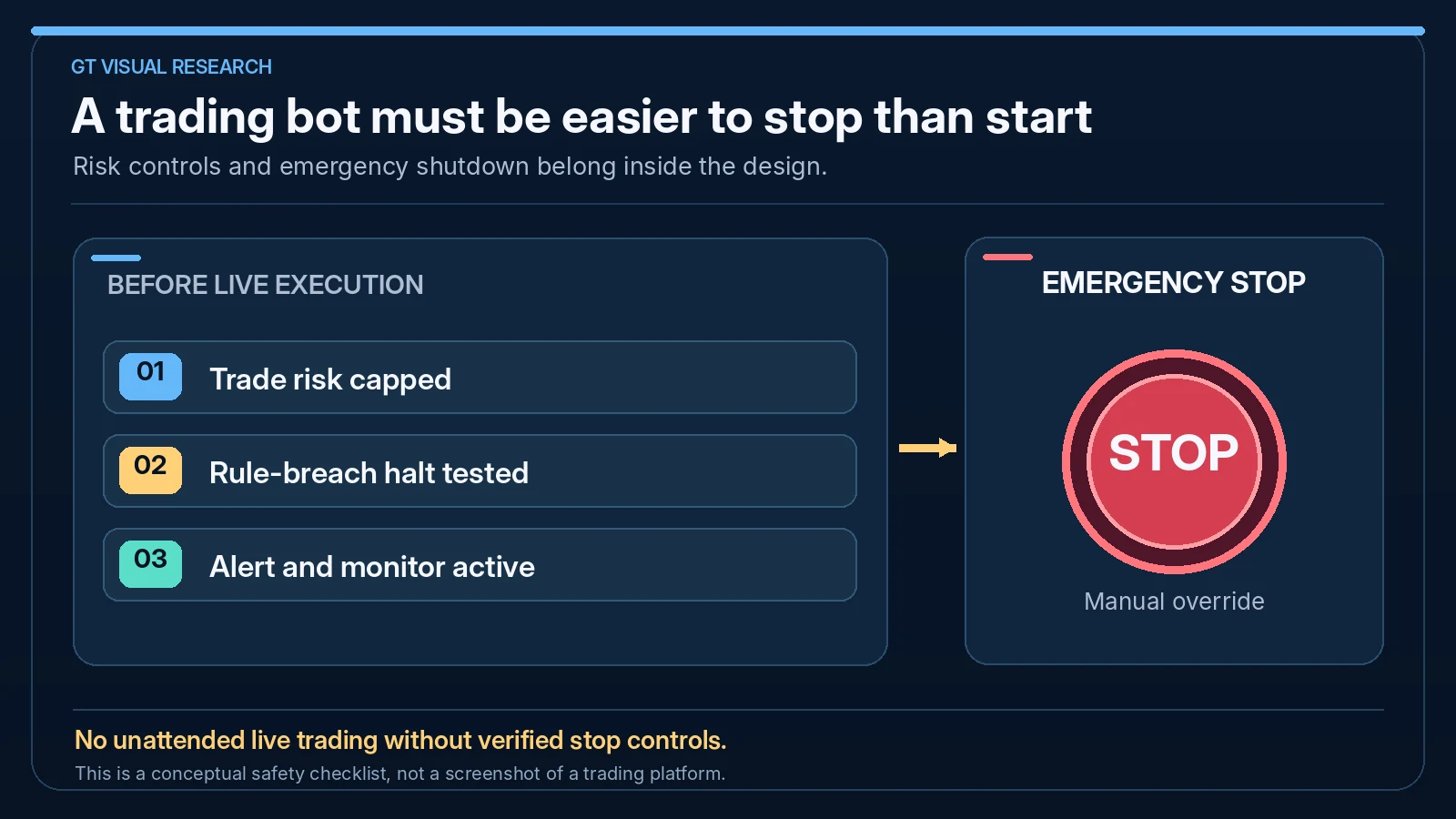
The Critical Rule: A Bot Must Be Easier To Stop Than Start
Traders often focus on how to launch an automated system. I think the more important question is how quickly and safely you can stop it when something is wrong.
Before the first live trade, I would make sure I know how to disable the EA or cBot, close open positions, disconnect a copier, stop a webhook workflow, restart the platform, pause the VPS and record the incident.
3. Backtest the Trading Bot Properly
Backtesting is a core part of my trading automation checklist because it can expose weak ideas before they reach live capital. It does not guarantee future performance.
I would test enough data to include realistic costs, difficult periods, different market regimes, losing streaks and examples where the strategy does not work. The goal is not a perfect equity curve; it is to understand how the bot behaves.
4. Forward-Test the Bot Before Live Risk
A backtest uses historical data. A forward test runs the system in current market conditions, usually on demo or very small risk. I use it to reveal platform behaviour, spread changes, slippage assumptions, broker execution, data differences and bugs.
I would not judge a forward test only by whether it makes money. The more important test is whether the system follows its rules correctly, respects risk limits and behaves as expected.
| Forward Test Check | What To Watch | Why It Matters |
|---|---|---|
| Entry Behaviour | Does it enter only when conditions match? | Prevents hidden logic errors. |
| Position Size | Does every trade use the correct lot size or unit size? | Sizing errors can turn small losses into major losses. |
| Stop And Exit | Are stops, exits and trailing logic working as expected? | Exit bugs are often more damaging than entry bugs. |
| Platform Stability | Does the platform stay connected and responsive? | Automation depends on infrastructure. |
| Journal Match | Do logged trades match the intended rule set? | Review confirms whether the system is behaving honestly. |
5. Choose the Right Automated Trading Platform
Different automation routes require different checks. I would not treat an MT5 Expert Advisor, cTrader cBot and TradingView webhook workflow as interchangeable because each route has its own testing, hosting and execution requirements.
Current platform documentation supports that distinction: MetaTrader 5 uses Strategy Tester to evaluate Expert Advisors on historical data; cTrader provides cBot backtesting in its Windows and Mac applications; and TradingView webhooks send alert payloads to external endpoints rather than acting as a native trading engine. TradingView also warns that its alerts are not designed as an automated-trading service, so webhook authentication, monitoring and failure handling should be treated as part of the system design.
| Route | Best For | Core Check | Useful GradTraders Read |
|---|---|---|---|
| MT5 Expert Advisor | MetaTrader automation, EAs, EA builders and VPS workflows | Does the EA behave correctly in Strategy Tester and demo? | MT5 Expert Advisors Explained |
| cTrader cBot | cTrader-native automated strategies | Does the cBot behave correctly in cTrader Algo testing? | cTrader cBots Explained |
| TradingView Webhook | Alert-based external workflows | Does the alert message reach the correct external tool safely? | TradingView Alerts Explained |
| No-Code EA Builder | Turning clear rules into MetaTrader robots | Are the rules precise enough to build and test? | Best Expert Advisor Builders |
6. Set Up a Reliable Trading VPS and Platform
If the system needs to run continuously, I treat infrastructure as part of the trading setup. A home laptop, weak internet connection or unstable platform can turn a manageable strategy issue into a technical failure.
A VPS can help keep MT4, MT5, locally running cTrader cBots or related automation tools operating on a remote server, but it is not magic. Compatible cTrader cBots can instead run in cTrader’s free Cloud environment independently of a local computer or separate VPS, subject to account and bot restrictions. I would still set up monitoring, alerts, platform updates, restart procedures and backup access.
VPS Checklist
- Platform installed correctly.
- Broker account logged in and verified.
- EA, cBot or tool attached correctly.
- Time zone and market hours understood.
- Restart and remote-access plan tested.
Monitoring Checklist
- Alerts for disconnection or unusual behaviour.
- Daily platform check routine.
- Trade log review after every session.
- Emergency close procedure.
- Backup device or access method.
7. Check Broker and Prop Firm Automation Rules
A trading bot can be technically profitable and still be unsuitable if it breaks account rules. This matters especially with prop firms, where EAs, cBots, copy trading, news trading, high-frequency behaviour, martingale logic or third-party systems may be restricted.
Before running automation, I would always check the exact account rules directly. I would not rely on a forum comment, old video or generic tool description because rules can change and different account types may have different restrictions.
8. Journal Every Automated Trade
Automation still needs review. I would record what the system did, whether it followed the rules, whether risk was correct, whether execution was clean and whether any intervention happened.
For me, an automated-trading journal is not only about emotions. It should also track system behaviour, bugs, parameter changes, market conditions, execution problems and every decision to intervene.
| Journal Field | Why It Matters | Example Note |
|---|---|---|
| System Version | Tracks which settings produced which trades | EA v1.3, standard risk, London filter on |
| Signal Reason | Confirms the trade matched the strategy | Breakout rule triggered after range close |
| Risk Size | Catches sizing errors early | 0.5% planned, 0.5% executed |
| Execution Quality | Shows slippage, delays or platform issues | Entry 1.2 points worse than expected |
| Intervention | Separates system performance from trader interference | Manual close after news warning |
Final Checklist Before Going Live
Before any automated system trades real money, I would want a clear yes to each of these questions:
- Are the rules objective and written down?
- Has the system been backtested with realistic assumptions?
- Has it been forward tested in current conditions?
- Are risk limits hard-coded, monitored or enforced?
- Are broker and prop firm rules checked?
- Is the platform and VPS setup stable?
- Is there a clear emergency stop process?
- Will every trade be journaled and reviewed?
If several answers are no, I would not consider the system ready. The purpose of this trading automation checklist is to reduce avoidable mistakes before automation can scale them.
Source note: I built this trading automation checklist from my editorial judgement, practical trading-workflow analysis and automated-trading risk controls. For this September 2026 update I rechecked the core platform distinctions against official MetaTrader 5, cTrader and TradingView documentation. Platform behaviour, broker execution, VPS terms and prop-firm automation rules can still change, so verify the current settings and account rules directly before using any live automated system.
Official platform documentation checked: MetaTrader 5 automated trading and Strategy Tester · cTrader cBot backtesting · TradingView webhook alerts
Useful next reads: Automated Trading Explained · MT5 Expert Advisors Explained · cTrader cBots Explained · Best VPS For Automated Trading · Best Expert Advisor Builders.
Explore GradTraders Internationally
GradTraders has 20 dedicated international gateways with local livestream times, market context and country-specific routes into the wider research site.
These country links are for navigation only; software availability, broker connections, eligibility and applicable terms must be checked separately.
Browse all 20 country gateways
Asia: Japan · South Korea · Taiwan · Hong Kong · India · Singapore · Thailand
Europe: Italy · Sweden · Switzerland · Germany · Norway
Americas: United States · Canada · Mexico
Middle East: United Arab Emirates · Saudi Arabia
Africa: South Africa
Oceania: Australia · New Zealand
Trading Automation Checklist FAQ
What should I check before running a trading bot live?
Check strategy logic, risk limits, backtesting, forward testing, platform setup, broker rules, VPS reliability, monitoring, emergency stop procedures and journaling before running any bot live.
Do trading bots need backtesting?
Yes. Backtesting helps traders understand historical behaviour, but it should be combined with forward testing and realistic risk controls before any live use.
Do I need a VPS for automated trading?
A VPS can be useful if the platform or bot needs to stay online continuously. It is especially relevant for Expert Advisors, trade copiers and always-on automation workflows.
Can prop firm traders use bots?
It depends on the prop firm’s current rules. Traders should check restrictions around EAs, cBots, copy trading, high-frequency trading, news trading and third-party systems before using automation.
Does automation remove trading emotions?
Automation can reduce some execution emotions, but traders still make emotional decisions when changing settings, stopping systems, increasing risk or reacting to drawdown.
How long should I forward-test a trading bot?
There is no single period that suits every strategy. I would forward-test for long enough to observe a meaningful number of trades, different market conditions, platform stability and whether the bot follows its rules consistently before increasing risk.
What is the safest way to start automated trading?
Start with written rules, realistic backtesting and a demo forward test. When the system behaves as expected, move gradually to very small live risk while keeping hard loss limits, monitoring and an emergency stop process in place.
Can I leave a trading bot running unattended?
I would not treat any trading bot as completely hands-off. Automated systems can disconnect, misread data, overtrade or behave differently during unusual markets, so alerts, logs and regular human checks still matter.
What should a trading automation checklist include?
A trading automation checklist should cover strategy rules, position sizing, daily and total loss limits, backtesting, forward testing, platform setup, broker or prop-firm rules, VPS reliability, monitoring, emergency shutdown and journaling.
Why use a trading automation checklist before live trading?
A trading automation checklist helps expose unclear rules, weak risk controls, platform mistakes and monitoring gaps before they can affect live capital. It also creates a repeatable process for deciding whether a bot is genuinely ready.