TradingView Alerts Explained 2026: Price Alerts, Indicator Alerts And Workflow
I use TradingView regularly for market analysis, and the reason I value alerts is straightforward: they let a trader monitor a planned price or technical condition without watching every chart continuously. I treat an alert as a prompt to reassess market context, session timing, position size and risk—not as an instruction to place a trade. Start with one clear condition, then review whether that notification improves the decision process.
 , GradTraders
Alerts Should Reduce Noise
A useful alert helps the trader wait for a planned condition instead of creating another reason to overtrade.
- Tie each alert to a defined setup or level.
- Write a message that says what to check next.
- Pre-plan invalidation and maximum risk.
- Journal whether the alert improved the decision.
Alert = Reminder, Not Signal
Price, technical, watchlist and webhook alerts can support a workflow, but none of them make a trade valid by themselves.
- Check context after the trigger.
- Test webhook workflows away from live risk.
- Keep a manual fallback when external tools are involved.
Disclosure & Risk Notice: This article is for educational and informational purposes only and is not financial, investment, tax or personal advice. Trading CFDs, spread betting, forex, futures, crypto CFDs and other leveraged products involves significant risk and may not be suitable for all traders. Alerts, webhooks and automated notification workflows does not guarantee profitable trading or future live performance. Platform behaviour, data, execution, alerts, simulations and third-party connections can differ from live conditions or fail unexpectedly.
Commercial disclosure: GradTraders may earn a commission if you purchase or sign up through certain links, including TradingView and TraderSync links on this page, at no additional cost to you. Commercial relationships do not determine the editorial conclusions. Current partner offers are listed at GradTraders Partner Offers.
Quick Verdict
TradingView alerts notify traders when a market condition is met. They can be based on price, technical conditions, drawing tools, Pine indicators, strategies, chart patterns, watchlists and webhook messages, depending on the setup and plan.
The GradTraders view is that alerts should support a pre-written trading plan. They are best used to reduce screen-staring, prepare for setups and improve discipline. They should not be used as random trade signals without context, risk planning or review.
What Are TradingView Alerts?
TradingView alerts are notifications created from chart conditions, indicators, drawings, strategies or watchlists. A trader chooses a symbol, condition, value, frequency and notification route, then TradingView monitors the condition.
If the condition is met, the alert can notify the trader through the platform and supported notification channels. More advanced users may also use webhook alerts to send a message to an external application when an alert triggers.
Alerts do not tell you whether a trade is automatically good. They only tell you that a condition you defined has happened. The trading decision still needs context, risk control and a clear plan.
Types Of TradingView Alerts
TradingView separates alerts into several practical categories. The terms below are useful for understanding what kind of alert you are actually creating.
| Alert Type | What It Does | Example Use | GradTraders View |
|---|---|---|---|
| Price Alert | Triggers when the symbol price meets a defined condition | Nikkei 225 reaches a planned resistance level | Best for levels, breakouts and watch areas. |
| Technical Alert | Triggers from indicators, drawings, strategies or chart patterns | RSI crosses a level or price breaks a drawn trendline | Useful, but only if the condition is part of a tested plan. |
| Watchlist Alert | Applies the same condition across symbols in a watchlist | Any market in a watchlist moves by a defined amount | Good for scanning, but can become noisy. |
| Strategy Alert | Triggers from Pine Script strategy conditions or orders | A backtested strategy condition fires | Useful for systematic traders, but still needs validation. |
| Webhook Alert | Sends alert data to an external URL using an HTTP POST request | Send a signal to an external dashboard or automation tool | Advanced workflow only; test carefully before relying on it. |
Why Traders Use TradingView Alerts
Alerts are useful because they move the trader away from constant chart watching. Instead of staring at a screen waiting for price to reach a level, the trader can define the condition and wait for the platform to notify them.
Less Screen-Staring
Alerts let traders wait for planned conditions rather than watching every candle.
Better Preparation
A good alert gives the trader time to check context, risk and plan before acting.
Market Scanning
Alerts can help monitor multiple markets, levels or watchlist conditions at once.
Rule Support
Technical alerts can support rule-based strategies when the conditions are defined clearly.
Review Workflow
Alerts can mark moments worth reviewing later in a trading journal.
Automation Bridge
Webhook alerts can connect chart conditions to external tools, but this increases complexity and risk.
The Biggest Mistake: Treating Alerts As Trade Signals
An alert is not the same as a complete trade signal. It only says that a condition was met. It does not automatically confirm market context, risk size, spread, news, higher-timeframe structure, liquidity or whether the trade fits your plan.
A trader can create dozens of alerts and still have no edge. The alert should be the reminder to check the plan, not the reason to enter blindly.
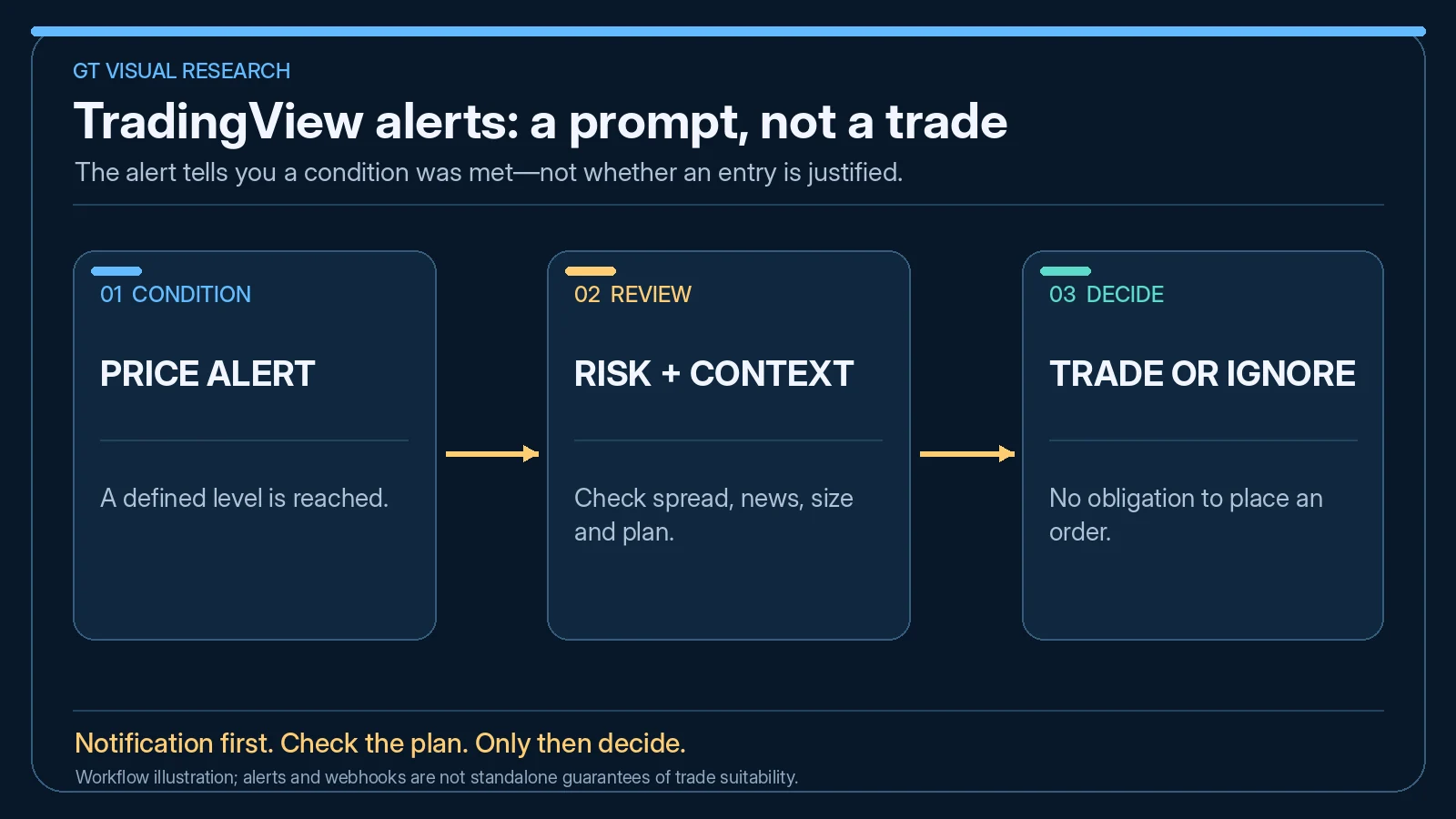
TradingView Alert Workflow
A good alert workflow starts before the alert is created. The trader should define why the condition matters and what they will do if it triggers.
| Step | What To Do | Why It Matters |
|---|---|---|
| 1. Define The Setup | Write the condition before setting the alert | Prevents random alerts that create noise. |
| 2. Choose The Alert Type | Use price, technical, drawing, strategy or watchlist alerts as needed | The alert type should match the trading decision. |
| 3. Add Context Notes | Write what the alert means and what to check when it fires | A clear message reduces impulsive action. |
| 4. Check Risk First | Know the stop, invalidation and position size before entry | An alert without a risk plan is not enough. |
| 5. Journal The Result | Record whether the alert led to a valid setup, no trade or mistake | Review shows whether alerts improve behaviour. |
Price Alerts
Price alerts are the simplest TradingView alert type. A trader chooses a symbol and a price condition, such as crossing above a level, crossing below a level, moving by a certain amount or reaching a defined area.
Price alerts are useful for support and resistance, breakout areas, retest zones, session highs and lows, or markets that only become interesting near a certain level.
Good Price Alert
“Alert me if Japan 225 reaches the planned resistance zone so I can check context and risk.”
Weak Price Alert
“Alert me if anything moves because I might want to trade it.”
Technical Alerts
Technical alerts are more advanced because they can be based on indicators, drawing tools, strategies and chart patterns. TradingView says technical alerts can notify traders about changes in indicator readings, price breaking chart patterns and other technical conditions.
Technical alerts are useful when the trader has a defined rule, but they can become dangerous when used as isolated entry triggers. An RSI cross, moving-average cross or trendline break means little without market context and risk planning.
Webhook Alerts
TradingView webhook alerts are more advanced. A webhook sends data to an external URL when an alert triggers. This can be useful for dashboards, automation tools, logging systems or more technical trading workflows.
Traders should be careful with webhooks. Once alerts connect to external applications, the workflow may depend on internet connections, third-party tools, server availability, message formatting and platform limits. Webhooks should be tested carefully before they are used around real trading decisions.
Webhook Makes Sense When
- The trader understands the external tool receiving the message.
- The workflow has been tested on demo or non-live data.
- The webhook supports logging, review or controlled alerts.
- The trader has a clear backup plan if the message fails.
Webhook Is Risky When
- The trader does not understand what happens after the alert fires.
- The webhook is connected to execution without testing.
- The alert condition is vague or over-fitted.
- The trader assumes automation removes the need for monitoring.
How Alerts Help Prop Firm Traders
Prop firm traders can use alerts to stay disciplined. Instead of watching every move and forcing trades, the trader can set alerts around planned levels, session conditions or setups that fit the challenge rules.
Alerts can also help prop firm traders avoid unnecessary screen time, overtrading and revenge trading after losses. However, alerts should never be used to bypass rule checks. Daily loss, total drawdown, maximum risk and prohibited strategy rules still matter.
TradingView Alerts And Trading Journals
Alerts become more useful when they are reviewed. If a trader records which alerts led to valid trades, which alerts were ignored, and which alerts caused mistakes, they can improve the alert system over time.
A good journal should track whether the alert was useful, whether the trader followed the plan, whether the trade met the setup rules and whether the alert reduced or increased emotional behaviour.
| Journal Field | Why It Helps | Example |
|---|---|---|
| Alert Type | Shows which alert types produce useful decisions | Price level, indicator, drawing, watchlist |
| Setup Valid? | Separates good alerts from trade temptation | Valid pullback, no trade, chase trade |
| Action Taken | Tracks behaviour after the alert fires | Entered, waited, cancelled, moved level |
| Risk Planned? | Prevents alert-driven impulse entries | Stop and size defined before entry |
| Lesson | Improves the alert system over time | Alert too early, level useful, condition too noisy |
TradingView Alert Checklist
Before creating an alert, ask these questions.
Does It Match A Setup?
The alert should be tied to a real trading condition, not curiosity.
Is The Message Clear?
The alert message should tell you what to check when it fires.
Is Risk Pre-Planned?
Know the stop, invalidation and maximum risk before the alert becomes tempting.
Is It Too Noisy?
Too many alerts can create the same problem as watching too many charts.
Will You Journal It?
Alerts only improve if you review which ones helped and which ones created mistakes.
Is It Tested?
Webhook and strategy alerts should be tested carefully before being trusted.
Final Verdict
TradingView alerts are one of the most useful workflow tools for traders who want to reduce screen time and wait for planned conditions. Price alerts, technical alerts, watchlist alerts and webhook alerts can all be valuable when used with a real trading plan.
The risk is turning alerts into excuses to trade. The best alerts do not replace judgement. They remind the trader to check context, risk, setup quality and rules before acting.
Source note: This GradTraders explainer uses current official TradingView alert documentation plus editorial analysis of how alerts fit into a risk-controlled trading workflow. TradingView currently documents price, technical and watchlist alerts, and webhook alerts that send HTTP POST requests to external applications.
Official TradingView research: Introduction to alerts · Alert configuration · Watchlist alerts · Webhook alerts.
Useful next reads: TradingView Review · Trading Automation Checklist · TradingView Paper Trading · TraderSync Vs Spreadsheet Journal · Trading Software & Tools Map.
Explore GradTraders Internationally
GradTraders has 20 dedicated international gateways with local livestream times, market context and country-specific routes into the wider research site.
These country links are for site navigation only; broker availability, regulatory status and product eligibility must be checked separately.
Browse all 20 country gateways
Asia: Japan · South Korea · Taiwan · Hong Kong · India · Singapore · Thailand
Europe: Italy · Sweden · Switzerland · Germany · Norway
Americas: United States · Canada · Mexico
Middle East: United Arab Emirates · Saudi Arabia
Africa: South Africa
Oceania: Australia · New Zealand
TradingView Alerts FAQ
What are TradingView alerts?
TradingView alerts are notifications triggered when a defined market condition is met. They can be based on price, indicators, drawing tools, strategies, watchlists or other supported conditions.
Are TradingView alerts good for beginners?
Yes, TradingView alerts can help beginners reduce screen time and wait for planned levels. Beginners should still use a trade plan, risk limits and a journal.
Can TradingView alerts be used for automated trading?
Alerts can be part of automated or semi-automated workflows, especially with webhooks, but traders should test carefully and understand every external tool connected to the alert.
What is a TradingView webhook alert?
A TradingView webhook alert sends alert information to an external URL when the alert triggers. This can support external dashboards, logging or advanced automation workflows.
Do TradingView alerts guarantee good trades?
No. An alert only confirms that a condition occurred. It does not guarantee a valid trade, good risk, clean execution or profitable outcome.