MT5 vs cTrader 2026: Which Trading Platform Is Better?
My MT5 versus cTrader decision starts with the strategy and broker account, not the platform’s popularity. MT5 is the natural comparison for traders invested in Expert Advisors, MQL5 and the Strategy Tester; cTrader makes sense where its order interface, cBots or C# and Python workflows fit better. I would first check the account’s actual markets, cost structure and automation permissions rather than switch platforms for a longer feature list.
By Matthew Jackson Matthew JacksonFounder of GradTraders,
A concise MT5 vs cTrader comparison covering automation, broker choice, backtesting, copy trading and platform fit.
MT5 has the edge for EAs, MQL5 and broker choice. cTrader stands out for cBots, C#/Python development, cTrader Copy and its interface.
Disclosure & Risk Notice: This article is educational and informational content, not financial advice, investment advice, tax advice or a personal recommendation. Trading CFDs, spread betting, forex, futures and other leveraged products can cause rapid losses. Trading platforms, Expert Advisors, cBots, copy-trading systems, VPS services and broker connections can fail, disconnect or behave differently in live market conditions.
GradTraders has commercial relationships with EA Builder Pro, ForexVPS.net and FXVM. If you purchase through an eligible link, GradTraders may earn a commission at no additional cost to you. Those relationships do not determine the comparison or create a preference for MT5 or cTrader.
Current partner routes and software offers are maintained on the Exclusive Discounts & Updates page.
Quick Verdict: MT5 vs cTrader
MT5 is the easier default if Expert Advisors, MQL5, Strategy Tester and broad broker availability are central to your setup.
cTrader makes more sense if you prefer its interface and want cBots, C# or Python development, cTrader Copy and cloud or local bot options.
Neither platform executes better simply because of its name. Broker quality, account type, liquidity, spreads, commissions and market conditions still matter more than the logo on the trading terminal.
MT5 vs cTrader At A Glance
| Feature | MT5 | cTrader | GradTraders View |
|---|---|---|---|
| Main strength | Expert Advisors, MQL5, Strategy Tester and wide broker support. | cBots, cTrader Algo, C#/Python development and a modern interface. | MT5 offers more breadth; cTrader may feel cleaner to work with. |
| Automation | Expert Advisors written in MQL5 or produced through compatible builders. | cBots developed through cTrader Algo using C# or Python. | Both are serious options; choose the tools and language you can maintain. |
| Backtesting | Built-in Strategy Tester with testing and optimisation. | Built-in cBot backtesting and optimisation, including visual testing. | Both are capable; test on the platform the strategy will actually run on. |
| Copy trading | Trading Signals through MetaTrader. | Integrated cTrader Copy with separate copy-trading accounts and equity-based allocation. | Both support copying, but they work differently. |
| Web and mobile | Desktop, web, iOS and Android access. | Windows, Mac, web, iOS and Android apps. | Both support multi-device trading; exact broker support still matters. |
| Best fit | EA users, MetaTrader users, VPS setups and traders who value broker choice. | cBot users, C#/Python developers and traders who prefer the cTrader interface. | Choose around the complete trading setup, not the platform badge. |
What Is MetaTrader 5?
MetaTrader 5 is a multi-asset trading platform with desktop, web and mobile versions. Its official platform includes manual trading, Market Depth, technical analysis, Expert Advisors, MQL5 development tools, Strategy Tester, trading signals and virtual hosting.
Automation is one of MT5’s biggest strengths. Traders can build or run Expert Advisors, test them on historical data, optimise parameters and draw on a large third-party market of indicators, scripts and automated systems.
MT5 also supports both netting and hedging account structures, although the exact instruments, execution model and account configuration are controlled by the broker.
What Is cTrader?
cTrader is a broker-connected trading platform available across Windows, Mac, web and mobile apps. It combines manual trading, charting and order tools with cTrader Algo, cBots, indicators, plugins and cTrader Copy.
One important current feature is that cTrader Algo supports both C# and Python for algorithm development. cBots can be created, tested and refined in cTrader; current cTrader documentation shows cloud instances across Windows, Mac, web and mobile, while local cBot instances are available on Windows and Mac.
Choose The Broker Before The Platform
I would not choose MT5 or cTrader first and then force the broker decision around it. Regulation, legal entity, markets, spreads, commissions, execution, funding and withdrawal conditions can all matter more than platform preference.
If two suitable brokers offer similar account conditions, then the platform can become the deciding factor. I would rather use the platform I like slightly less with the broker that suits me better than do it the other way around.
Automation: Expert Advisors vs cBots
The biggest practical difference between MT5 and cTrader is how automation works. Both can run trading robots, but they use different languages, tools and development environments.
MT5: Expert Advisors And MQL5
MT5 uses Expert Advisors for automated trading. The native MQL5 development environment supports building, debugging, testing and optimising trading robots.
MT5’s large third-party market is a major advantage if you want ready-made EAs, indicators, code libraries, freelance development or no-code tools.
cTrader: cBots, C# And Python
cTrader uses cBots for automated strategies. Current cTrader Algo documentation supports development in C# or Python, giving developers a choice of languages while using the cTrader trading API.
That is useful if you already work with .NET or Python and would rather build around familiar languages than learn MQL5 from scratch.
Programming: MQL5 vs C# And Python
| Need | MT5 | cTrader | Practical Difference |
|---|---|---|---|
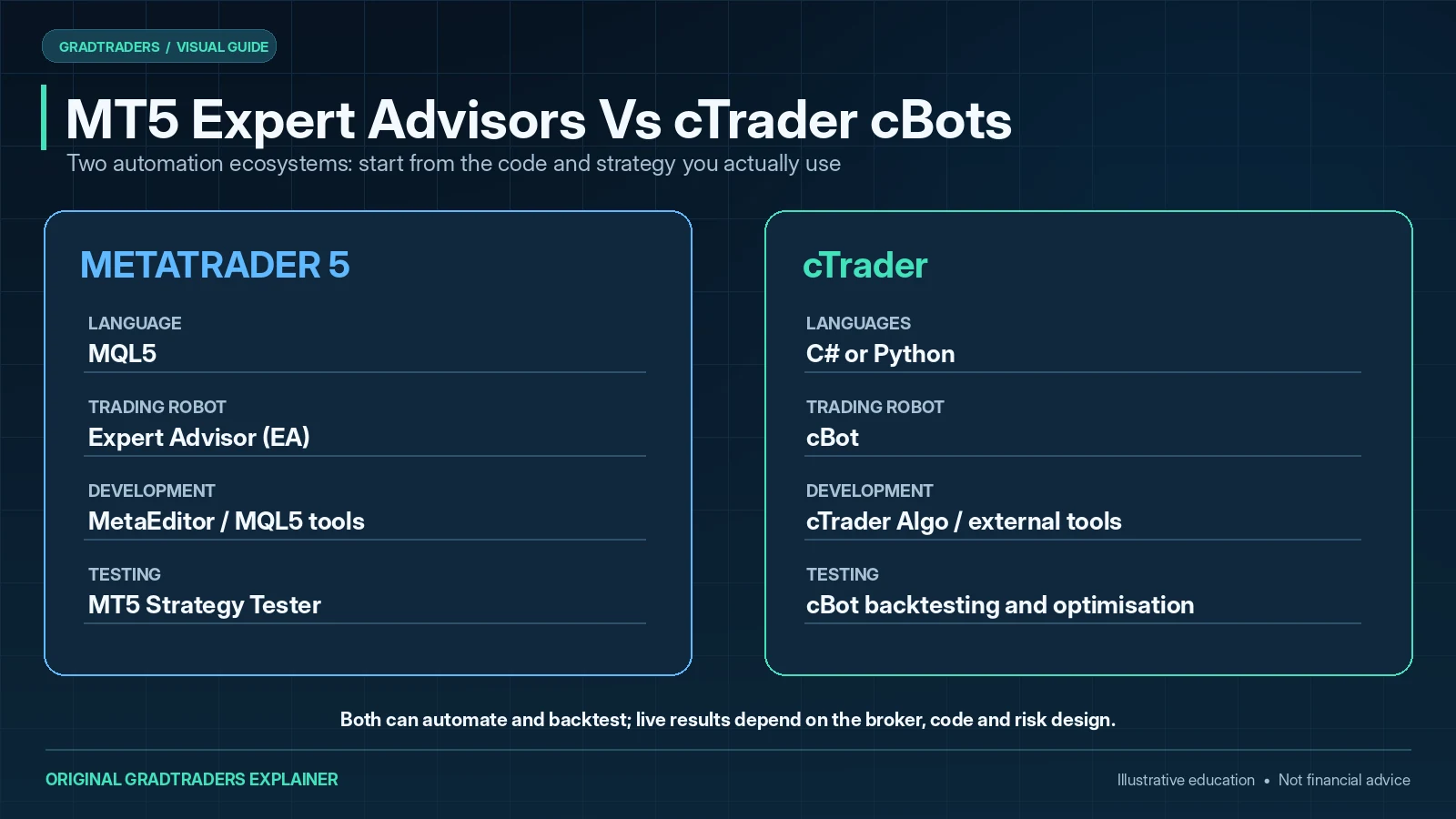
| Native language | MQL5 | C# or Python | Your existing programming experience may make one much easier to learn. |
| Trading robot | Expert Advisor | cBot | Both can analyse markets, place orders and manage positions automatically. |
| Development environment | MetaEditor and MQL5 tools | cTrader Algo plus compatible external development tools | cTrader suits C#/.NET and Python developers; MT5 has the more established MQL5 community. |
| Third-party tools | Large MetaTrader Market, Signals, community and freelance network | cTrader Store, cBots, indicators, plugins and developer documentation | MT5 still has the broader third-party market; cTrader is strong for modern development. |
Backtesting And Optimisation
Both platforms have proper backtesting tools, so I would not choose between them on that point alone. It makes more sense to test on the platform where the strategy will eventually run.
MT5 Strategy Tester
MT5’s built-in Strategy Tester can test Expert Advisors on historical data and optimise different parameter combinations. It also supports several testing modes, including more detailed tick-based testing.
cTrader cBot Backtesting
cTrader Algo can backtest cBots on historical market data, produce trading and equity statistics and run visual-mode tests. It also includes optimisation tools for testing parameter combinations.
In both cases, over-optimisation remains a risk. A strategy that has been tuned perfectly to historical data can still fail when spreads, volatility, liquidity or market behaviour changes.
Copy Trading: MetaTrader Signals vs cTrader Copy
Both platforms let traders follow other strategies, but the two services are structured differently.
MetaTrader offers Trading Signals. cTrader Copy is built into cTrader and creates a separate copy-trading account for each strategy followed. Its equity-to-equity model scales copied volume according to the provider and investor account equities.
Copy trading can still produce losses. Platform integration does not remove strategy risk, leverage risk, slippage or the possibility that a strategy’s future performance differs sharply from its history.
Execution: Does cTrader Execute Better Than MT5?
Not necessarily. MT5 and cTrader are both front ends connected to broker infrastructure. The quality of an actual fill depends on the broker, account type, liquidity, spread, commission, order type, market conditions and network path.
cTrader is often praised for its interface and execution-focused design, while MT5 offers Market Depth, multiple order types and a mature broker-connected environment. Those platform features matter, but they should not be confused with a guarantee of lower slippage or faster fills.
If execution is important to your strategy, compare the specific brokers and accounts you can actually open rather than relying on a general MT5-versus-cTrader claim.
Web, Desktop And Mobile Access
Both platforms now support trading across multiple devices. MT5 provides desktop, web, iOS and Android access. cTrader provides Windows, Mac, web, iOS and Android apps.
Desktop still matters most for serious automation and development. Mobile and web versions are useful for monitoring, charting and manual account management, but they do not replace every desktop or cloud automation function.
VPS And Always-On Automation
A VPS becomes useful when an Expert Advisor, local cBot, trade copier or other process needs to stay online without relying on a home computer.
MT5 has a long-established VPS culture and also offers its own virtual hosting. cTrader supports cloud cBot instances as well as local instances on Windows and Mac, so not every cTrader setup needs a separate VPS.
If a separate VPS is justified, choose the server location around the broker and trading workload. A nearby stable server is usually more useful than buying an oversized package in the wrong region.
Which Platform Is Better For Beginners?
Beginners can learn on either platform. MT5 is easier to find at brokers and there is far more learning material around it. cTrader may feel cleaner and easier to navigate if you prefer its interface.
Platform choice is not the main beginner decision, though. Learning order types, position sizing, leverage, stop placement and the broker’s account conditions matters far more than winning the MT5-versus-cTrader debate.
Which Platform Is Better For Prop Firm Traders?
For prop-firm traders, platform choice is partly dictated by the firm. Some firms support MetaTrader, some support cTrader, some offer both and others use completely different environments.
Before buying an evaluation, check the exact platform, symbols, Expert Advisor or cBot policy, copy-trading restrictions, news rules and prohibited strategies. A platform that is ideal at a personal broker may not be available on the programme you want to trade.
Who Should Choose MT5 And Who Should Choose cTrader?
| Trader Type | Likely Better Fit | Why | Check First |
|---|---|---|---|
| Expert Advisor user | MT5 | MQL5, EA ecosystem, Strategy Tester and established VPS workflows. | Broker support and EA rules. |
| C# or Python algo developer | cTrader | cTrader Algo supports cBots in C# and Python. | Broker and account compatibility. |
| Manual discretionary trader | Either | Interface preference can matter once broker quality is already acceptable. | Spreads, commissions and execution. |
| Copy trader | Either | Both ecosystems support copying, but the structure and available strategies differ. | Fees, risk and account eligibility. |
| Prop-firm trader | Firm-dependent | The firm controls supported platforms and automation rules. | Current programme rules. |
| Beginner | Either | Learning risk and process matters more than the platform debate. | Broker suitability and demo access. |
Related GradTraders Software & Platform Guides
| Guide | Why Read It? |
|---|---|
| MT5 Expert Advisors Explained | Understand how Expert Advisors fit into the MetaTrader 5 automation workflow. |
| cTrader cBots Explained | Understand cBots, cTrader Algo and automated cTrader workflows. |
| Best Expert Advisor Builders 2026 | Compare no-code and low-code routes for building MetaTrader automation. |
| TradingView vs cTrader | Compare a chart-first workflow with a broker-connected trading-platform ecosystem. |
| Best VPS For Automated Trading | Compare hosting when always-on trading software genuinely requires a remote server. |
| Trading Software & Tools Map | See how charting, automation, VPS, backtesting and journals fit together. |
Final Verdict: MT5 vs cTrader
There is no reason to switch platforms simply to own the “better” one. If your broker, execution and existing tools already work, the benefit of moving may be small.
Where the broker’s terms are genuinely comparable, I favour MT5 for an existing EA or MQL5 workflow and the familiarity of its testing ecosystem. I would choose cTrader for a trader whose process centres on its interface and cBot development. Any advantage can disappear if the actual broker account, spreads or execution terms are a poor match.
My rule remains to choose the strategy and the legal broker account first. The winning platform is the one that lets the trader test, execute and review that strategy reliably without unnecessary switching costs.
Source note: This independent GradTraders platform comparison uses the previously checked official MT5 and cTrader documentation alongside my assessment of broker, automation and trading workflows. The October editorial revisions do not represent controlled first-hand execution tests across each broker implementation.
Official MetaTrader research: MetaTrader 5 platform · algorithmic trading · Strategy Tester.
Official cTrader research: cTrader Help Centre · cTrader Algo · cBots · cTrader Copy.
Features, broker support and platform capabilities can change. Check the broker and platform provider directly before relying on a specific workflow.
Current platform documentation was rechecked for this 10 October 2026 revision. Broker availability, account terms and platform capabilities can still change independently of the platform software.
Explore GradTraders Internationally
GradTraders has 20 dedicated international gateways with local livestream times, market context and country-specific routes into the wider research site.
These country links are for site navigation only; broker availability, regulatory status and account eligibility must be checked separately.
Browse all 20 country gateways
Asia: Japan · South Korea · Taiwan · Hong Kong · India · Singapore · Thailand
Europe: Italy · Sweden · Switzerland · Germany · Norway
Americas: United States · Canada · Mexico
Middle East: United Arab Emirates · Saudi Arabia
Africa: South Africa
Oceania: Australia · New Zealand
MT5 vs cTrader FAQ
Is MT5 better than cTrader?
MT5 is usually the stronger choice for traders who want Expert Advisors, MQL5, Strategy Tester, the wider MetaTrader ecosystem and broad broker availability. cTrader may be the better fit for traders who prefer its interface, cBots, cTrader Algo and C# or Python development.
Is cTrader better for execution than MT5?
Not automatically. The platform interface and order tools matter, but actual execution depends heavily on the broker, account type, liquidity, spreads, commissions, network conditions and market conditions.
Can MT5 run automated trading strategies?
Yes. MT5 uses Expert Advisors for automated trading and includes MQL5 development tools plus the built-in Strategy Tester for testing and optimisation.
Can cTrader run automated trading strategies?
Yes. cTrader uses cBots through cTrader Algo. Current cTrader documentation supports cBot development in C# or Python, with backtesting and optimisation tools available in the platform ecosystem.
Which is better for backtesting, MT5 or cTrader?
Both have serious backtesting tools. MT5 provides Strategy Tester for Expert Advisors, while cTrader Algo provides cBot backtesting and optimisation. The more useful choice is usually the tester that matches the platform on which the strategy will actually run.
Which is better for prop firm traders, MT5 or cTrader?
It depends on the prop firm. Traders should check the exact supported platform, symbols, Expert Advisor or cBot rules, copy-trading restrictions and prohibited strategies before buying an evaluation.
Do MT5 and cTrader both support copy trading?
Yes, but through different systems. MetaTrader offers Trading Signals through its ecosystem, while cTrader provides integrated cTrader Copy with separate copy-trading accounts and an equity-to-equity allocation model.