How Trading Software & Tools Fit Within The Trading World
Trading software should support a trading process, not dictate it. My starting point is a clear way to analyse markets, practise decisions and review results; specialist testing, automation and hosting come later when justified. GradTraders’ own Global Market Radar, Prop Firm Offer Finder and Compound Interest Calculator sit alongside third-party platform reviews to support monitoring, comparisons and planning.
 , GradTraders
Live trading on YouTube
, GradTraders
Live trading on YouTubeHow charting, execution, journals, testing and infrastructure fit around a trader’s workflow.
Start with the strategy, analysis and practice. Use the free GradTraders tools for market context, offer comparisons and calculations where relevant; add paid journals, backtesting, automation or hosting only when each solves a clearly defined problem.
Disclosure & Risk Notice: This article is for educational and informational purposes only and is not financial, investment, tax or personal advice. Trading CFDs, spread betting, forex, futures, crypto CFDs and other leveraged products involves significant risk and may not be suitable for all traders. Trading software, simulations, journals, automation and hosting can improve workflow or review quality, but they do not remove trading risk or guarantee profitable results. Some links are commercial partner links; GradTraders may earn a commission from eligible purchases at no additional cost to you. Commercial relationships do not determine the editorial conclusion.
Current partner offers and important offer changes are maintained on GradTraders Exclusive Discounts & Updates.
Quick Verdict
Trading software should be chosen around the trader’s actual workflow, not around hype. The most useful tools are the ones that improve analysis, execution, risk control, trade review, backtesting or infrastructure.
A beginner can start with a broker or paper-trading platform and a chart. A more structured trader may later add a journal, dedicated backtesting, automation or hosting. The software stack should become more specialised only as the trading process becomes more specific.
The GradTraders decision rule is simple: if a tool does not solve a clear problem, it probably does not belong in the stack yet.
The Trading Software Ecosystem
The trading world includes brokers, prop firms, exchanges, data providers, platforms, journals, backtesting tools, VPS providers and automation software. Some tools help traders analyse markets. Others help with execution, review, testing or reliability.
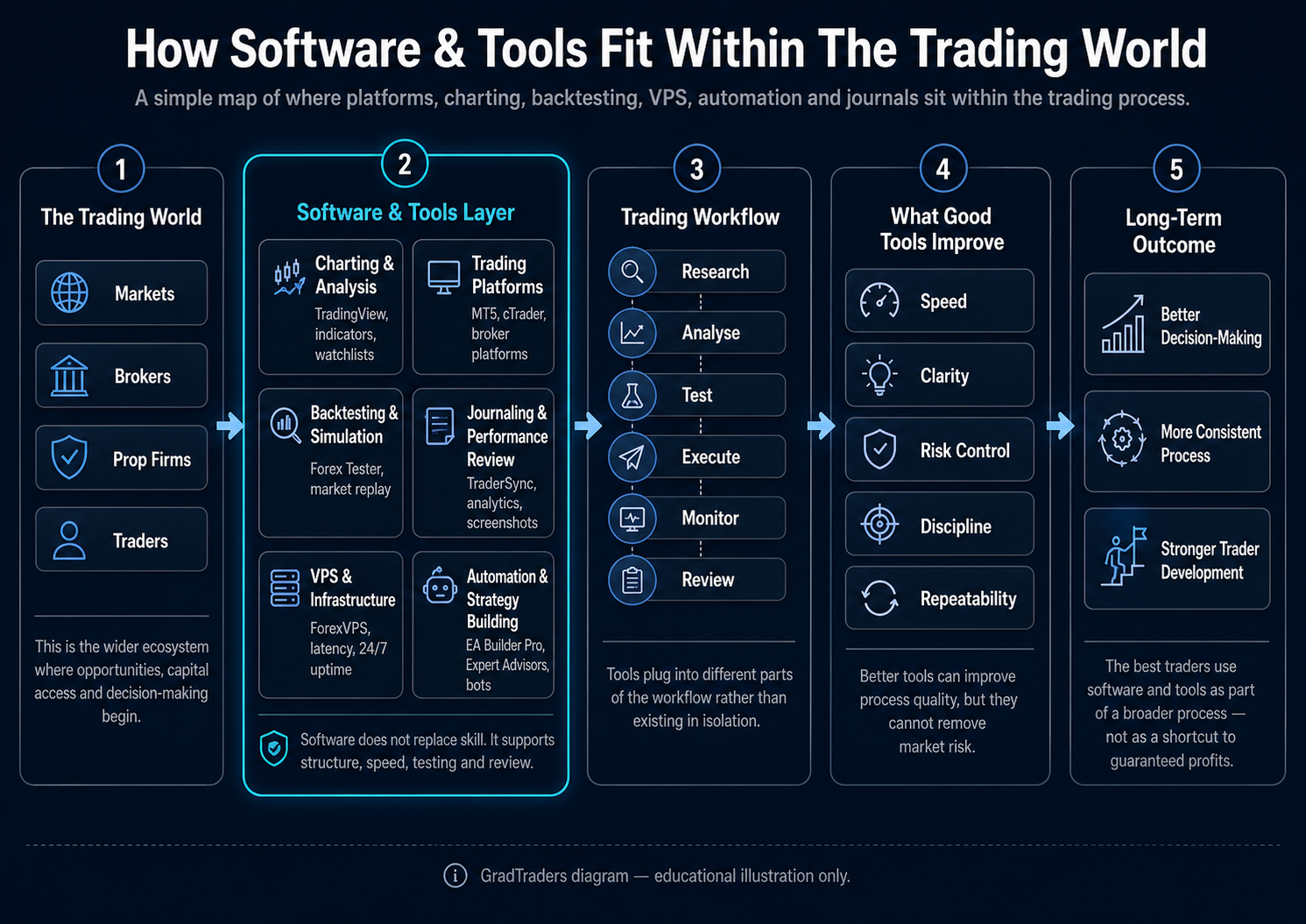
The wider trading software ecosystem, showing how platforms, tools, journals, backtesting software, VPS infrastructure and automation fit around a trader’s workflow.
How The Main Tool Categories Fit Together
| Layer | Main Job | Useful GradTraders Route |
|---|---|---|
| Charting | Analyse markets, build watchlists and manage alerts. | TradingView Review |
| Execution | Place and manage orders through broker-connected platforms. | TradingView vs MT5 |
| Backtesting | Test ideas against historical markets before increasing risk. | Forex Tester Review |
| Journaling | Track trades, decisions, mistakes and performance patterns. | TraderSync Review |
| Automation | Build or run rules-based trading workflows. | EA Builder Pro Review |
| Infrastructure | Keep platforms or automated systems online where uptime matters. | Best VPS For Automated Trading |
The Trading Workflow Comes First
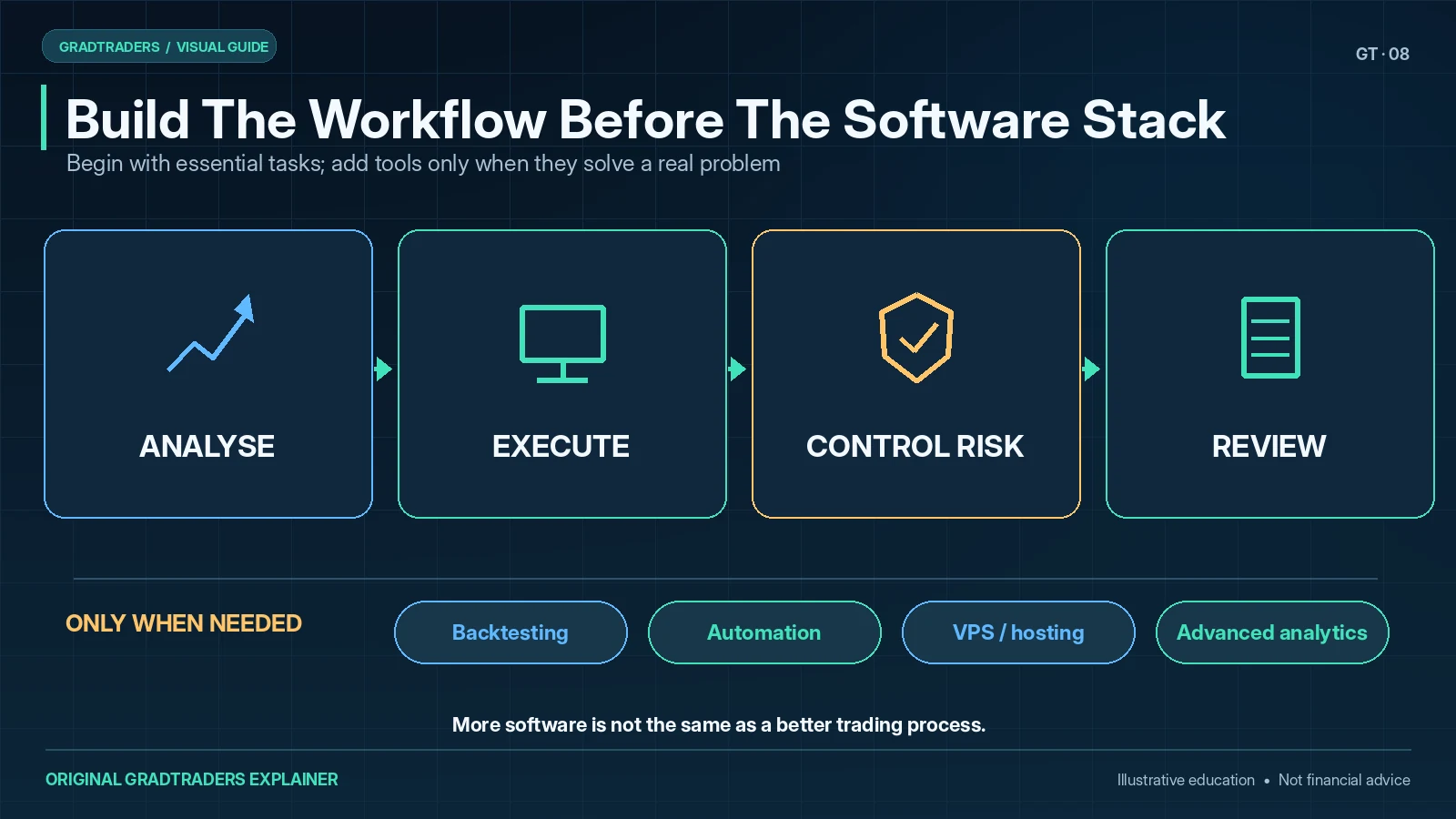
A trading tool becomes useful when it solves a specific problem. For most traders, the software stack can be understood in six broad stages.
Research & Learning
Study markets, terminology, providers and the mechanics of trading before risking capital.
Charting & Analysis
Use charts, watchlists, indicators and alerts to prepare ideas before execution.
Execution & Platforms
Place orders, manage positions and connect to a broker, prop firm or trading environment.
Risk & Trade Management
Control position size, stops, exposure and trade-management rules inside the daily process.
Review & Improvement
Use journals and analytics to identify mistakes, strengths and behavioural patterns.
Infrastructure & Reliability
Use hosting, uptime and latency tools only where automation or platform stability genuinely requires them.
How Different Traders May Build The Stack
Beginner Traders
Usually need clear charting, demo or paper trading, basic order knowledge and a simple journal before advanced automation or VPS infrastructure.
Active Traders
Often care more about execution workflow, alerts, platform reliability, costs and fast access to the markets they actually trade.
Prop Firm Traders
Need tools that support rule discipline, daily-loss awareness, review consistency and controlled execution rather than encouraging more trades.
Automated Traders
May add backtesting, EA or cBot development, VPS hosting and monitoring once the rules of the strategy are already clear.
Do Not Build A Software Stack Backwards
Buying more software can feel like progress even when the trading process is still unclear. That usually creates wasted subscriptions and more moving parts to manage.
Start by deciding how you analyse, execute, manage risk, review trades and test ideas. Then add software only where it makes one of those jobs clearer, more reliable or easier to measure.
Related GradTraders Software Guides
This page is the starting point for the wider Software & Tools library. Use the next guide according to the problem you are trying to solve.
Final Verdict
Trading software works best when it supports a clear process. Charting helps analysis, a trading platform handles execution, a journal improves review, backtesting tests ideas and infrastructure can improve reliability where continuous operation matters.
The useful principle is not to collect tools. It is to make each layer earn its place. A simple stack that you understand is usually more useful than a sophisticated stack that hides an unclear strategy.
Source note: this is GradTraders’ independent explanation of how in-house tools and third-party software fit around a trader’s workflow. Its software comparisons distinguish editorial suitability judgements from published product capabilities; check the relevant review and provider documentation for current product-specific details.
The Main Categories Of Trading Software
A complete trading software stack does not need to be complicated. The goal is not to own every possible tool. The goal is to choose the tools that support the way a trader actually researches, analyses, places, manages and reviews trades.
This second chart breaks the software stack into the main categories GradTraders will review across the Software & Tools section.
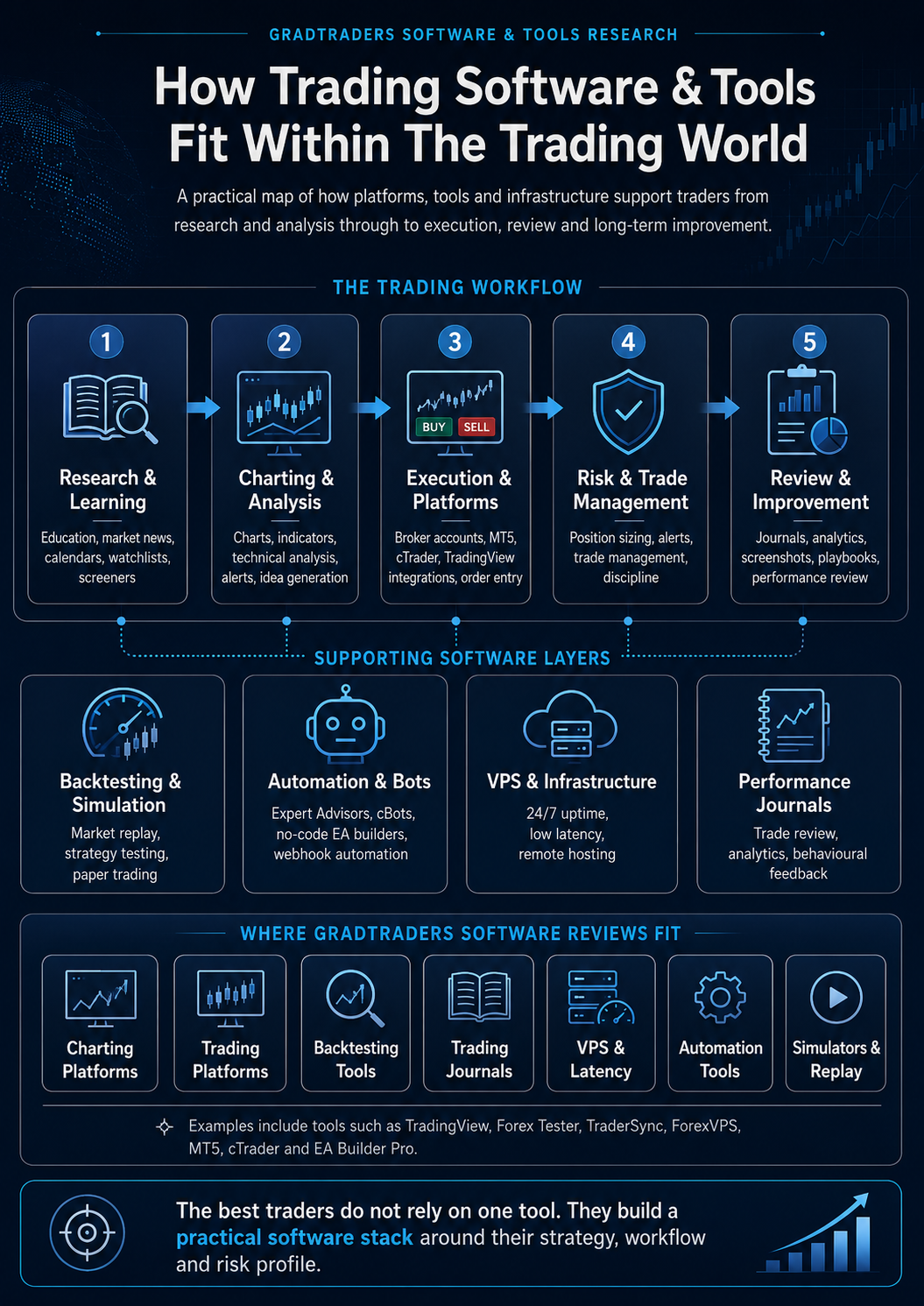
Chart 2: The main software categories traders can use to build a practical trading stack around analysis, execution, review, testing and infrastructure.
How The Main Tool Categories Fit Together
Charting Platforms
Used for market analysis, watchlists, indicators, alerts, drawing tools and multi-market research.
Trading Platforms
Used to place orders, manage trades, monitor positions and connect to brokers, prop firms or trading environments.
Backtesting Tools
Used to test trade ideas against historical price data before applying them in live or simulated markets.
Trading Journals
Used to track trades, review mistakes, measure performance and identify behavioural patterns.
VPS & Infrastructure
Used to keep platforms, expert advisors and trading systems running with better uptime and lower latency.
Automation Tools
Used to build, test or run rules-based strategies, expert advisors, bots or semi-automated workflows.
Do Not Build A Software Stack Backwards
Many traders buy tools before they know what problem they are trying to solve. That usually leads to wasted subscriptions, over-complicated workflows and a false sense of progress.
A better process is to start with the trading workflow first. Decide how you analyse markets, how you execute, how you manage risk, how you review trades and how you test ideas. Then choose software that supports that process.
How GradTraders Will Review Trading Tools
GradTraders reviews trading software from a practical trader’s perspective. The focus is not simply whether a tool has lots of features, but whether it helps a trader make better decisions, reduce avoidable mistakes, improve review quality or manage their workflow more professionally.
Some tools are best for beginners. Others are better for active traders, prop firm traders, automated strategy builders or traders who need lower-latency infrastructure. The best choice depends on the trader’s strategy, market, account type and level of experience.
Beginner Traders
Usually need clear platforms, simple charting, demo accounts, risk tools and education before advanced automation or VPS infrastructure.
Active Traders
Often care more about execution, order management, spread visibility, platform reliability and fast access to key markets.
Prop Firm Traders
Need tools that support rule tracking, daily loss limits, review discipline, journal consistency and controlled execution.
Automated Traders
May need backtesting, EA builders, platform hosting, VPS uptime, latency checks and careful monitoring of automated systems.
Final Verdict
Trading software works best when it supports a clear trading process. A charting platform helps with analysis, a trading platform handles execution, a journal improves review, a backtesting tool tests ideas, and infrastructure tools such as VPS hosting can improve reliability.
The best traders do not rely on one magic tool. They build a practical software stack around their strategy, risk profile, review process and trading environment.
Related GradTraders Software Guides
This page acts as the starting point for the GradTraders Software & Tools section. As the library grows, traders will be able to compare platforms, journals, backtesting tools, VPS providers and automation software in one place.
Source note: this GradTraders Software & Tools guide is an editorial overview designed to explain how trading software categories fit together. It should be used as a starting point before reading individual platform, journal, VPS, backtesting and automation reviews.
Explore GradTraders Internationally
GradTraders has 20 dedicated international gateways with local livestream times, market context and country-specific routes into the wider research site.
These country links are for site navigation only; software availability, broker connections, eligibility and terms should be checked separately.
Browse all 20 country gateways
Asia: Japan · South Korea · Taiwan · Hong Kong · India · Singapore · Thailand
Europe: Italy · Sweden · Switzerland · Germany · Norway
Americas: United States · Canada · Mexico
Middle East: United Arab Emirates · Saudi Arabia
Africa: South Africa
Oceania: Australia · New Zealand
Trading Software & Tools FAQ
What is trading software?
Trading software is the collection of platforms and tools used around a trading process, including charting, execution, risk tools, journals, backtesting, automation and infrastructure.
What trading software does a beginner need first?
Most beginners need a clear charting or broker platform, a demo or paper-trading route, basic risk controls and a simple review process before adding specialist automation, paid analytics or VPS hosting.
Do traders need several trading platforms?
No. Many traders can begin with one analysis environment and one execution route. Extra tools are useful only when they solve a specific problem in the workflow.
Where do backtesting and trading journals fit?
Backtesting belongs in the testing layer before more capital is risked, while a trading journal belongs in the review layer after trades have been planned or executed.
When does a VPS matter in trading?
A VPS matters when a platform, Expert Advisor or other automated workflow genuinely needs continuous uptime, remote access or infrastructure closer to a broker. Manual traders may not need one.