Automated Trading Explained: Bots, Expert Advisors and Risk
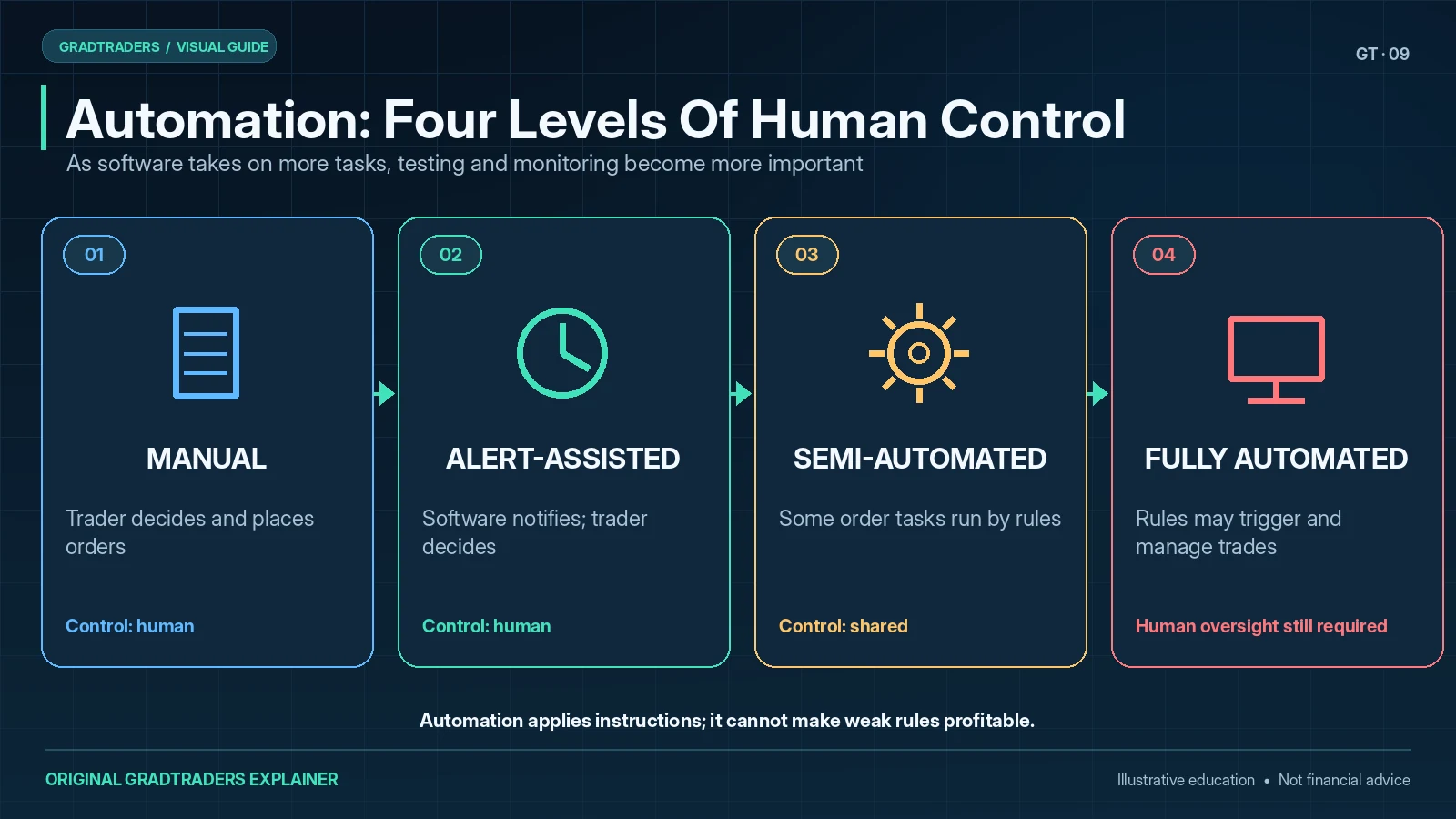
My starting rule for automated trading is to test the decision process before automating it. Bots, Expert Advisors, cBots and alert-driven systems can apply instructions consistently, but they cannot correct a weak strategy or unrealistic assumptions. Before live use I would want defined entry and exit rules, realistic cost and drawdown tests, controls for position sizing and a clear way to stop the system after a technical or market failure.
By Matthew Jackson Matthew JacksonFounder of GradTraders,
How rule-based software monitors markets, acts on instructions and manages trades.
Core principle: automate a defined process, not a vague trading idea.
Disclosure & Risk Notice: This article is for educational and informational purposes only and should not be considered financial advice, investment advice, tax advice or a personal recommendation. Trading CFDs, spread betting, forex, futures, crypto CFDs and other leveraged products involves significant risk and may not be suitable for all traders. You may lose some or all of your capital. Automated trading systems, Expert Advisors, cBots, webhooks, trade copiers and bots can fail, disconnect, overtrade, behave differently in live markets and breach broker or prop firm rules. Backtests, demo results and simulations do not guarantee future performance. Some GradTraders articles may contain affiliate links or references to partner offers. If you sign up, purchase or open an account through certain links, GradTraders may earn a commission at no additional cost to you.
Looking for GradTraders partner offers, broker discounts, prop firm promotions and trading platform deals? You can view the current offers and join the update list here: Access GradTraders Partner Offers.
Quick Verdict
Automated trading uses software to follow predefined trading instructions. It may monitor markets, generate alerts, open positions, calculate size, place stops, manage exits or close trades without waiting for a manual click.
The useful part is consistency. The dangerous part is that software can repeat a bad rule, sizing error or technical failure much faster than a trader might do manually. I would only automate a strategy after the logic, risk model, testing process and emergency stop procedure are clear.
This is a practical educational guide based on trading-workflow analysis and current official platform documentation. It is not a performance test or endorsement of every bot, Expert Advisor or cBot.
Automated Trading At A Glance
The label covers several different workflows. Some systems make and execute every trading decision, while others automate only alerts, order placement, exits or position sizing.
| Automation Route | What It Can Do | Human Responsibility | Main Risk |
|---|---|---|---|
| MetaTrader Expert Advisor | Analyse conditions, place or manage orders and run coded rules inside MT4 or MT5. | Choose the strategy, settings, broker, risk and monitoring process. | Incorrect code, settings, symbol data or position sizing. |
| cTrader cBot | Run a programmed strategy as a local or cloud instance in the cTrader environment. | Test the cBot, understand its dependencies and control risk. | Over-optimisation, incompatible dependencies or unsuitable parameters. |
| TradingView Webhook | Send alert data to an external application through an HTTP POST request. | Secure and test the receiving application and order workflow. | Wrong messages, failed delivery, duplicated actions or exposed credentials. |
| Trade Copier | Copy trades between accounts or from a signal source. | Control size, account mapping, slippage and rule compliance. | Oversized copied trades or account-rule breaches. |
| Semi-Automation | Automate alerts, order templates, stops, exits or risk calculations while the trader still decides. | Approve the trade and interpret changing market context. | Assuming partial automation has removed the need for judgement. |
How Automated Trading Works
Automation begins with a rule set. The instructions should define the entry, stop loss, target, position size, filters, time window, maximum exposure, exit logic and conditions that stop the system from trading.
Once those rules are converted into code or configured in a platform, the software monitors the required data and responds when the conditions are met. A simple system might act on one moving-average crossover. A more detailed system may combine volatility, spreads, trading sessions, multiple timeframes and account-level loss limits.
The software does not understand whether the strategy makes sense. It follows the instructions and the data it receives. That is why a clear rule set and a reliable shutdown process matter more than how advanced the interface looks.
Market Monitoring
The system watches prices, indicators, time windows or other specified conditions.
Trade Execution
It can open, modify or close orders when the programmed conditions are met.
Risk Management
It can calculate size, place stops and enforce limits when those controls are built correctly.
Why Traders Use Automated Trading
Automation is attractive because software can follow the same process repeatedly without tiredness, hesitation or boredom. Those benefits only matter when the process itself is worth repeating.
Consistency
A system can apply the same entry, stop and exit rules without changing them after every result.
Speed
Software can respond quickly when the programmed market conditions appear.
Continuous Monitoring
An automated setup can watch several conditions or markets when a trader is away from the screen.
Structured Risk
Position sizing, daily limits and exit rules can be enforced consistently when they are coded correctly.
Repeatable Testing
Coded logic can often be applied across historical data more consistently than a manual chart review.
Reduced Impulse Trading
A defined system may block trades outside the rules, provided the trader does not keep overriding it.
The Main Risks Of Automated Trading
Automation can appear objective, but it concentrates risk inside the rules, code, data and infrastructure. One flaw may be repeated across many trades before it is noticed.
Bad Rules Executed Consistently
A bot cannot tell whether the strategy is sensible. It follows the instructions even when the underlying idea is weak.
Over-Optimisation
A strategy can be fitted too closely to historical data and then fail when conditions change.
Position-Sizing Errors
A wrong contract size, decimal setting or risk formula can create far more exposure than intended.
Platform And Connection Failure
Broker outages, frozen platforms, failed webhooks, VPS problems and software bugs can interrupt or duplicate actions.
Live Costs And Execution
Spreads, commissions, slippage, latency and rejected orders may make live results differ from a backtest.
Rule Breaches
A broker or prop firm may restrict particular EAs, copy-trading methods, high-frequency behaviour or third-party systems.
A Sensible Automated Trading Workflow
I would move from an idea to live automation in stages. Profit is not the only test at each stage; the system also needs to follow its rules, respect risk and remain controllable.
| Stage | What Happens | What To Check | Decision |
|---|---|---|---|
| 1. Define The Strategy | Write the entry, exit, filter and risk rules in plain English. | Could another person implement the rules without guessing? | Do not automate vague or discretionary instructions. |
| 2. Review Examples | Check winning, losing and invalid setups on charts. | Are examples being selected honestly rather than cherry-picked? | Revise the rules when the examples expose ambiguity. |
| 3. Backtest | Apply the rules to historical data with realistic assumptions. | Costs, losing streaks, different conditions and sample size. | Reject fragile results rather than optimising them endlessly. |
| 4. Build And Inspect | Convert the rules into an EA, cBot, webhook or other workflow. | The software matches the intended logic and risk model. | Fix behaviour before considering live use. |
| 5. Forward-Test | Run the system in current conditions on demo or very small risk. | Execution, size, logs, alerts, stability and unexpected actions. | Increase risk only after the behaviour is understood. |
| 6. Controlled Live Use | Use limited capital with monitoring and hard loss limits. | The kill switch, daily limits and review process work in practice. | Stop immediately when the system acts outside its design. |
MetaTrader Expert Advisors
In MetaTrader, automated programs are commonly called Expert Advisors. An EA can be attached to a chart and programmed to respond to market events, analyse conditions, manage orders or trade automatically.
MetaTrader 5 includes a Strategy Tester for testing and optimising Expert Advisors before live use. A useful test still depends on appropriate historical data, realistic costs and honest settings; the platform cannot decide whether the strategy assumptions are sensible.
No-code builders may help traders convert clearly defined rules into an EA without writing every line of code. They do not remove the need to understand the logic, inspect the result and test it properly.
cTrader cBots
cTrader uses trading robots called cBots. The current cTrader environment supports creating, backtesting and optimising cBots, then starting them as local or cloud instances where the bot and its dependencies are compatible.
Cloud execution can keep a suitable cBot running independently of the trader’s device, while local instances depend on the desktop setup remaining available. That distinction matters when deciding whether a separate VPS is required.
The cBot label does not change the main decision. The strategy still needs clear rules, realistic testing, controlled settings and monitoring.
TradingView Alerts And Webhooks
TradingView can send an HTTP POST request to an external application when an alert is triggered. That makes webhooks useful for alert routing and external automation, but the webhook itself is not the complete trading system.
The receiving application still needs to interpret the message, authenticate the request where required, map the correct account and symbol, prevent accidental duplicates and handle failures safely. Credentials or account secrets should not be placed casually inside alert messages.
Do Automated Traders Need A VPS?
A VPS can be useful when a desktop trading platform, Expert Advisor or trade copier needs to remain online continuously. It may reduce dependence on a home computer and local internet connection, but it does not guarantee uptime, low latency or better trading results.
A separate VPS may be unnecessary when the automation runs in a supported cloud environment, when the setup only sends alerts, or when the trader does not need an always-on desktop platform.
A VPS May Help When
- MT4 or MT5 must remain open continuously.
- An EA or copier needs an always-on Windows environment.
- The home computer or internet connection is not reliable enough.
- Remote access and restart procedures have been tested.
A VPS May Be Unnecessary When
- The cBot runs as a compatible cTrader cloud instance.
- The workflow only generates alerts for manual action.
- The platform does not need to remain open.
- The strategy has not yet passed basic testing.
For workflows that genuinely need continuous hosted access, ForexVPS is the primary GradTraders route and FXVM is the second comparison option.
Automated Trading And Prop Firm Rules
Prop firm traders need to check more than technical compatibility. A firm may restrict certain Expert Advisors, shared systems, copy trading, high-frequency activity, latency arbitrage, martingale-style risk or other methods.
A profitable-looking system can still breach an account agreement. Rules may differ by firm, programme and account type, so I would verify the current terms directly before connecting any automated system.
What Automated Trading Cannot Do
Automation can remove some manual steps, but it cannot remove uncertainty. It does not know whether a market regime has changed, whether a backtest was misleading or whether a trader has chosen an unsuitable level of risk unless rules exist for those situations.
- It cannot guarantee profitability.
- It cannot make an unclear strategy precise by itself.
- It cannot prove that historical performance will continue.
- It cannot eliminate spreads, slippage, outages or rejected orders.
- It cannot replace broker and prop-firm rule checks.
- It cannot remove the need for monitoring and an emergency stop process.
Practical Checks Before Live Automation
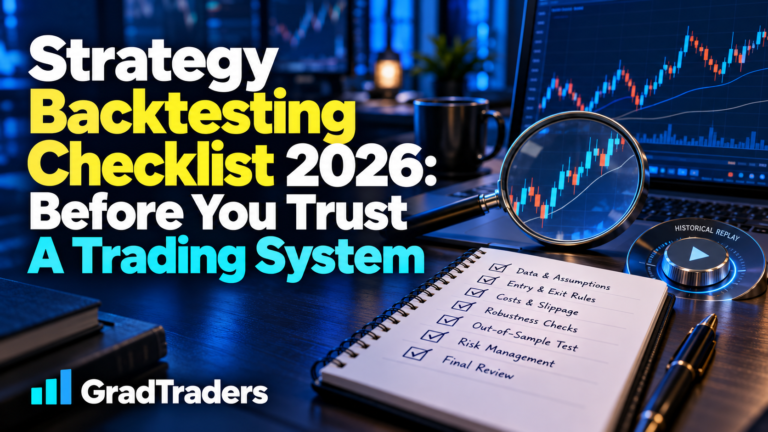
The full Trading Automation Checklist covers the process in detail. At minimum, I would want clear answers to these questions before live capital is involved.
Are The Rules Objective?
Entry, exit, filters and risk should be precise enough to implement without guessing.
Has Behaviour Been Tested?
Backtests and forward tests should show what the system does in both normal and difficult conditions.
Are Costs Realistic?
Spreads, commission, slippage, latency and failed orders should be considered.
Are Risk Limits Enforced?
Position size, daily loss, drawdown and maximum exposure need clear limits.
Can The System Be Monitored?
Logs, alerts and routine checks should expose failures quickly.
Can It Be Stopped Safely?
The trader should know how to disable the system and deal with open positions immediately.
Related Automated Trading Guides And Tools
Choose the next guide according to the decision you are actually making rather than starting with a product.
Final Verdict
Automated trading can improve consistency, monitoring and execution when the underlying rules are clear and the system is tested honestly. It can also magnify poor assumptions, position-sizing mistakes and technical failures.
My approach is to treat automation as a later stage of the trading process. Define the strategy, build the risk model, test it, check the platform and account rules, then automate only the parts that genuinely improve the workflow.
Source note: I rebuilt this automated trading explained guide from GradTraders editorial judgement, practical workflow analysis and current official platform documentation. It is an educational overview rather than a claim that every automated product or paid plan has been personally tested. Platform behaviour, broker execution, hosting terms and prop-firm rules can change, so verify the current settings and account terms before live use.
Official documentation checked: MetaTrader 5 Strategy Tester · MetaTrader Expert Advisors · cTrader cBots · cTrader cloud features · TradingView webhook alerts.
Useful next reads: Trading Automation Checklist · MT5 Expert Advisors Explained · cTrader cBots Explained · Best VPS For Automated Trading · Best Expert Advisor Builders.
Explore GradTraders Internationally
Browse GradTraders’ country gateways for local market context and related research. These links are for navigation only; broker services, automation features, products and eligibility depend on the provider and location.
Browse all 20 country gateways
Asia: Japan · South Korea · Taiwan · Hong Kong · India · Singapore · Thailand
Europe: Italy · Sweden · Switzerland · Germany · Norway
Americas: United States · Canada · Mexico
Middle East: United Arab Emirates · Saudi Arabia
Africa: South Africa
Oceania: Australia · New Zealand
Automated Trading FAQ
What is automated trading?
Automated trading uses software to monitor markets and carry out predefined trading instructions. Depending on the setup, it may generate alerts, open positions, size trades, place stops, manage exits or close trades automatically.
How does automated trading work?
A trader defines the rules first. Those rules are then coded or configured in software, which watches the required market data and acts when the conditions are met. The trader remains responsible for the strategy, risk limits, testing, platform setup and monitoring.
What is an Expert Advisor?
An Expert Advisor, often shortened to EA, is an automated program used in MetaTrader. It can analyse market conditions and perform tasks such as sending alerts, managing orders or trading according to programmed rules.
What is a cBot?
A cBot is a trading robot used in cTrader. cBots can be created, backtested, optimised and run as local or cloud instances, depending on the platform and the bot's requirements.
Is automated trading profitable?
Automation does not make a strategy profitable by itself. Results still depend on the quality of the rules, realistic testing, costs, execution, market conditions and risk control.
Is automated trading suitable for beginners?
Beginners can learn about automation, but the strategy and risk model should be understood before live execution is handed to software. A bot cannot correct unclear rules or poor position sizing.
Do trading bots need a VPS?
Some MetaTrader bots, trade copiers and always-on workflows benefit from a VPS because the platform needs to remain online. A VPS may be unnecessary for cloud-hosted cBots, alert-only setups or systems that do not require a continuously running desktop platform.
What are the main risks of automated trading?
The main risks include weak strategy rules, coding mistakes, over-optimisation, incorrect position sizing, spread and slippage differences, platform or connection failures, broker-rule breaches and leaving the system unmonitored.
Can automated trading remove emotion?
Automation can reduce hesitation during execution, but it does not remove emotion from the wider process. Traders can still change settings impulsively, increase risk, stop a system at the wrong time or interfere after losses.
Should I test a trading bot on demo first?
Yes. A sensible process is to backtest the strategy, check the code or configuration, run a forward test on demo and only then consider very small live risk with hard loss limits and a tested emergency stop process.